

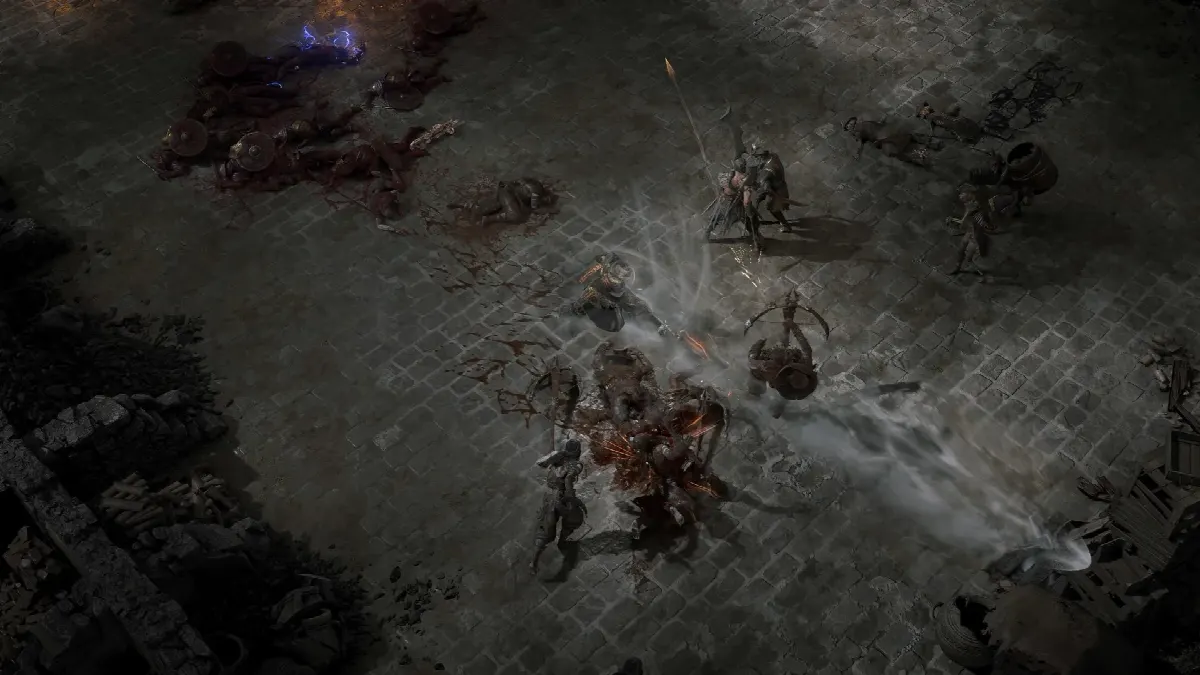
PoE2 console players on PS5 and Xbox use a controller scheme that Grinding Gear Games built specifically for console. The game has run on PlayStation 5 and Xbox Series X|S since Early Access began in December 2024, and it becomes free with the full release on December 11, 2026. This guide shows you how to bind skills to your controller, how cross-play and couch co-op work, and how to use loot filters and trading on console.
Current state: Early Access 0.5.5. This may change with the full release. Once the 1.0 patch notes are out, we will update the guide.
Is Path of Exile 2 on PS5 and Xbox, and what does it cost?
Yes, Path of Exile 2 launches on PS5 and Xbox Series X|S at the same time as on PC. According to Grinding Gear Games, the game becomes free-to-play on all platforms with the full release on December 11, 2026. Until then, you need a Supporter Pack for Early Access. GGG does not list older consoles such as PS4 and Xbox One. The table sums up the key points:
| Question | Answer |
|---|---|
| Consoles | PlayStation 5, Xbox Series X|S |
| Price from December 11, 2026 | free (free-to-play) |
| What you can spend money on | cosmetics, stash tabs and other shop purchases |
| Cross-play with PC | yes, can be turned off in the options |
| Shared progress with PC | yes, via a linked Path of Exile account |
| Couch co-op | yes, two players on one console |
| Loot filter | yes, via the official website |
For everything else new players should know, from classes to the endgame, read our Path of Exile 2 beginner guide.
How do cross-play and shared progress with PC work?
According to GGG, Path of Exile 2 has full cross-play and cross-progression. To use it, you link your PlayStation or Xbox account to your account on pathofexile.com. After that, you play the same characters on PC and console. With a linked account, however, you cannot be logged in on two devices at once.
There is one catch with purchases: stash tabs work on the platform where you bought them. According to GGG, if you play on another platform, tabs you do not own there become remove-only. So think about where you will mainly play before your first purchase. Our guide to stash tabs in Path of Exile 2 shows which tabs are worth it.
You turn cross-play off in the options with “Disable Crossplay”. After that, you only meet players on your own platform, so on PS5 only PlayStation Network users. This applies to parties, friend requests, guilds and trade requests. The change only takes full effect after you log out and back in.
How do you bind skills on a controller?
On a controller, your skills sit directly on the buttons, not on a skill bar as on PC. In the “Skill Bind” window, you assign each skill to a button of the “Primary Skill Set”. If you run out of buttons, use the “Secondary Skill Set”: while you hold the button you chose for it, the same buttons trigger different skills.
Three rules make your layout more comfortable:
- Put skills you need to aim precisely on the bumpers and triggers. Buffs, warcries and skills without a target go on the face buttons. That keeps your right thumb on the stick.
- Put the button for the secondary set on a trigger or bumper, not on a face button. Otherwise you have to press two face buttons at once.
- Keep your movement skill and main attack on the same button in every build. Then you do not have to relearn anything when you switch characters.
Which skill options help with aiming?
For every bound skill, you open the “Skill Options” in the Skill Bind window. These four matter most:
| Option | What it does | Good for |
|---|---|---|
| Target maximum range | targets the maximum distance ahead, ignoring enemies | movement skills such as Leap Slam |
| Cast on self | casts on your own position, ignoring enemies | skills that should hit the area around you |
| Enable Held Targeting | hold the skill, aim with the right stick, then release | skills you want to place precisely |
| Do not Target | objects created by this skill can no longer be targeted | objects that would otherwise get in the way of targeting |
How do you swap weapon sets and dodge on a controller?
The “Toggle Weapon Set” action has no default button on a controller. You assign it to a button yourself in the Skill Bind window before you need it. Our guide to weapon sets in Path of Exile 2 explains how weapon sets and their own passive points work.
The dodge roll is a separate action. For its button, you choose between “Dodge/Sprint” and “Dodge Only”. Bosses use powerful attacks that you can only escape safely with a dodge roll. So put it on a button you can hit without thinking.
Which buttons should every console player know?
The game shows a few default buttons only once, in a tutorial hint. The table lists them for Xbox and PlayStation as the game sets them. If you have rebound them, your own layout applies.
| Xbox | PlayStation | What happens |
|---|---|---|
| D-pad down | D-pad down | toggle the overlay map |
| D-pad right | D-pad right | portal back to town |
| A | Cross | pick up, open a waypoint, interact with objects |
| LT (in the stash) | L2 (in the stash) | instantly move an item between stash and inventory |
| press right stick | R3 | more information about an item |
| press left stick | L3 | also show items your loot filter hides |
| left stick + Menu | L3 + Options | open chat |
Which settings should you change on console?
The options menu has its own “Controller” tab. These settings are worth a look before you start:
- HUD Mode and HUD Scale: The display sits in the center, on the left or on the right and can be scaled down. That helps most on large TVs.
- Panel Mode: Menus open full screen or as a panel on the left or right, so you still see the game next to them.
- Item Snapping: In your inventory, the cursor jumps to the closest item in the direction of your stick.
- Navigation Speed: This controls how fast the cursor moves between menu elements.
- Vibration and Crossbow Trigger Resistance: You set vibrations for combat, menus and notifications separately. Trigger resistance gives the trigger a noticeable pressure point when you shoot with skills such as Crossbow Shot.
- Gateway: If you have lag or latency spikes, pick a different gateway, meaning a different server location, in the options. The default is “Auto”.
How does couch co-op work on PS5 and Xbox?
In couch co-op, two of you play on one console on the same screen. All you need is a second controller: on character select, player 2 presses A or Cross to join and picks or creates their own character. According to GGG, this works on one shared account or with two Path of Exile accounts on the same console.
A few rules set couch co-op apart from playing solo:
- Couch co-op is not available in Solo Self-Found.
- Some objects can only be used by player 1. The game then shows “Only P1 can interact with this object”.
- Levers only work when both players are close by.
- You pass items to each other directly with the “Trade” action.
- If you leave an area while your partner is dead, you cannot return through the portal.
How does online co-op work, and who gets the loot?
Online, you play in a party, and thanks to cross-play also with friends on PC or the other console. How loot is distributed is set in the party options under “Item Allocation Mode”:
| Setting | What happens |
|---|---|
| Free for All | Any party member can pick up any item. |
| Short Allocation | Certain items belong to a random nearby party member for a short time. |
| Permanent Allocation | Certain items belong to a random nearby party member for good. |
You set your default for new parties in the options under “Default Item Allocation”.
How do you set up a loot filter on PS5 and Xbox?
Loot filters have worked on console since patch 0.1.1, according to the official patch notes. You cannot place files on a console, so it only works through your account:
- Link your PlayStation or Xbox account to your account on pathofexile.com.
- On PC or phone, follow a Path of Exile 2 filter on the item filter ladder.
- Restart the game so it loads your list of filters.
- Select the filter in the options under “Item Filter”.
Which filter and which strictness suit you is covered in our Path of Exile 2 loot filter guide.
How do you trade on PS5 and Xbox?
Trading works on console just as on PC, and thanks to cross-play also with PC players. You exchange currency in game at the Currency Exchange, as our guide to currency and orbs shows. You search for items on the official trade site in a browser, most conveniently on your phone next to the console.
Listings in merchant tabs can be bought instantly, even if the seller is offline. For all other listings, you message the seller and trade with them directly. If you have turned cross-play off, you only trade with players on your platform. Our Path of Exile 2 trade guide explains it step by step.
Can you use mouse and keyboard on console, or a controller on PC?
On PS5 and Xbox, Path of Exile 2 is built for the controller. GGG has not announced mouse and keyboard controls like on PC for the consoles. If you want to play with a mouse, use the PC and continue with the same account.
The other way round works: on PC, go to Options, “Input” tab, and set the “Input Method” to “Controller”. You can only change this from the main menu or character select. Supported devices are DualSense, DualShock 4, Xbox wireless controllers and third-party X-Input controllers.
What mistakes do console players often make at the start?
Most beginner mistakes on console cost you time or money, but they are easy to avoid:
- Buying stash tabs on the wrong platform: They only work where you bought them.
- Playing without a loot filter: By the endgame at the latest, your screen is full of item labels.
- Putting everything on the face buttons: Your thumb keeps leaving the right stick.
- Not configuring movement skills: Without “Target maximum range”, you leap into enemies instead of past them.
- Forgetting the weapon swap: Without a button of its own, you cannot use your second set at all.
Which class suits your playstyle is shown in our Path of Exile 2 classes overview. Plan your build in the build planner on your phone or PC, and find ready-made ideas among the Path of Exile 2 builds.
Frequently asked questions
Is Path of Exile 2 free on PS5?
Yes, from the full release on December 11, 2026, Path of Exile 2 is free-to-play on PS5 and Xbox. Until then, you need a Supporter Pack for Early Access.
Can I play on PS5 with friends on PC?
Yes, cross-play is turned on. If you disable it in the options, you only meet players on your own platform.
Can I take my PC characters to console?
Yes, if your PlayStation or Xbox account is linked to your Path of Exile account. Stash tabs you bought, however, only work on the platform where you bought them.
Does Path of Exile 2 have couch co-op?
Yes, two players on one console with two controllers on the same screen. Couch co-op is not available in Solo Self-Found.
How do I swap weapon sets on a controller?
The “Toggle Weapon Set” action has no default button. You assign it to a button yourself in the Skill Bind window.


Comments
Loading comments …
Join the discussion with a free account
Anyone with a RaidDex account can comment – one click with Discord, Steam or Battle.net is enough. Your progress is also backed up and the same on all your devices.
Already have an account? Sign in
One click with Discord, Steam or Battle.net is enough – no new password needed. Whatever you have already saved in this browser moves into your account when you sign in. Only you can see your profile.