

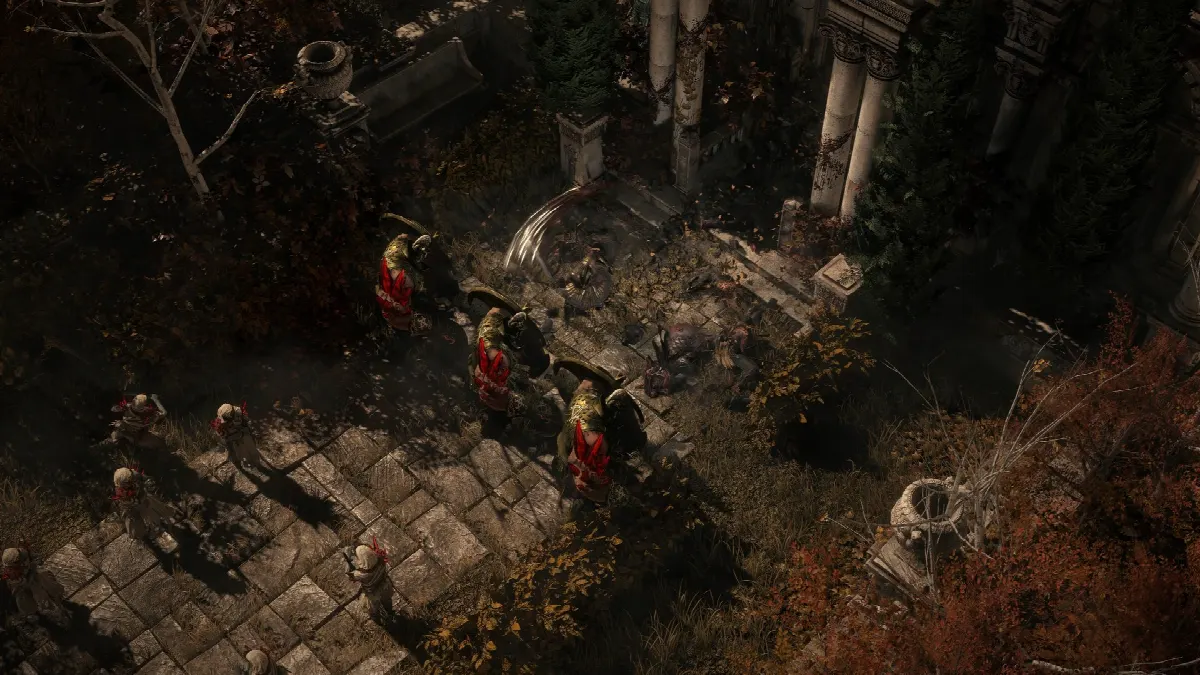
You set up a Path of Exile 2 loot filter in the options under “Game” at the “Item Filter” setting. It hides worthless loot and makes important drops stand out with colors, sounds and light beams. Here you’ll learn how to set up a filter through the official website or as a file, which strictness suits you and how it works on PS5 and Xbox.
What is a loot filter in Path of Exile 2?
A loot filter is a text file with rules that decides which items on the ground are shown and how. It can hide labels, change font size and colors, put light beams over a drop, show an icon on the minimap and play sounds. It doesn’t change the loot itself: just as much drops as without a filter, you just see less clutter.
Without a filter, the game shows you everything. By the endgame on the Atlas at the latest, your screen is full of labels, and a valuable orb is easy to miss. Our Path of Exile 2 currency and orbs guide explains which orbs are worth picking up. Anything you don’t need yourself you can sell, as our Path of Exile 2 trade guide shows.
Which loot filter should you use?
Most players start with NeverSink’s filter. It’s free, covers the campaign and the endgame and is regularly adjusted to new items and in-game prices. It comes in 7 strictness levels that hide different amounts. You’ll find other filters in the item filter overview on pathofexile.com. If you like, you can write your own filter as a text file.
There are two ways to use a filter: you follow it online through your account, or you put it on your PC as a file. Online is easier and keeps the filter up to date automatically.
How do you set up a loot filter through the website?
The easiest way is to follow a filter on the official website. It then goes straight into your game and updates itself. Here’s how:
- Log in to the item filters on pathofexile.com with the account you play on.
- Search for NeverSink, pick the Path of Exile 2 filter in the strictness you want and follow it.
- Restart the game so it loads your list of filters.
- Open the options, switch to the “Game” tab and pick your filter at “Item Filter” under “Guidance”.
- Click “Save”.
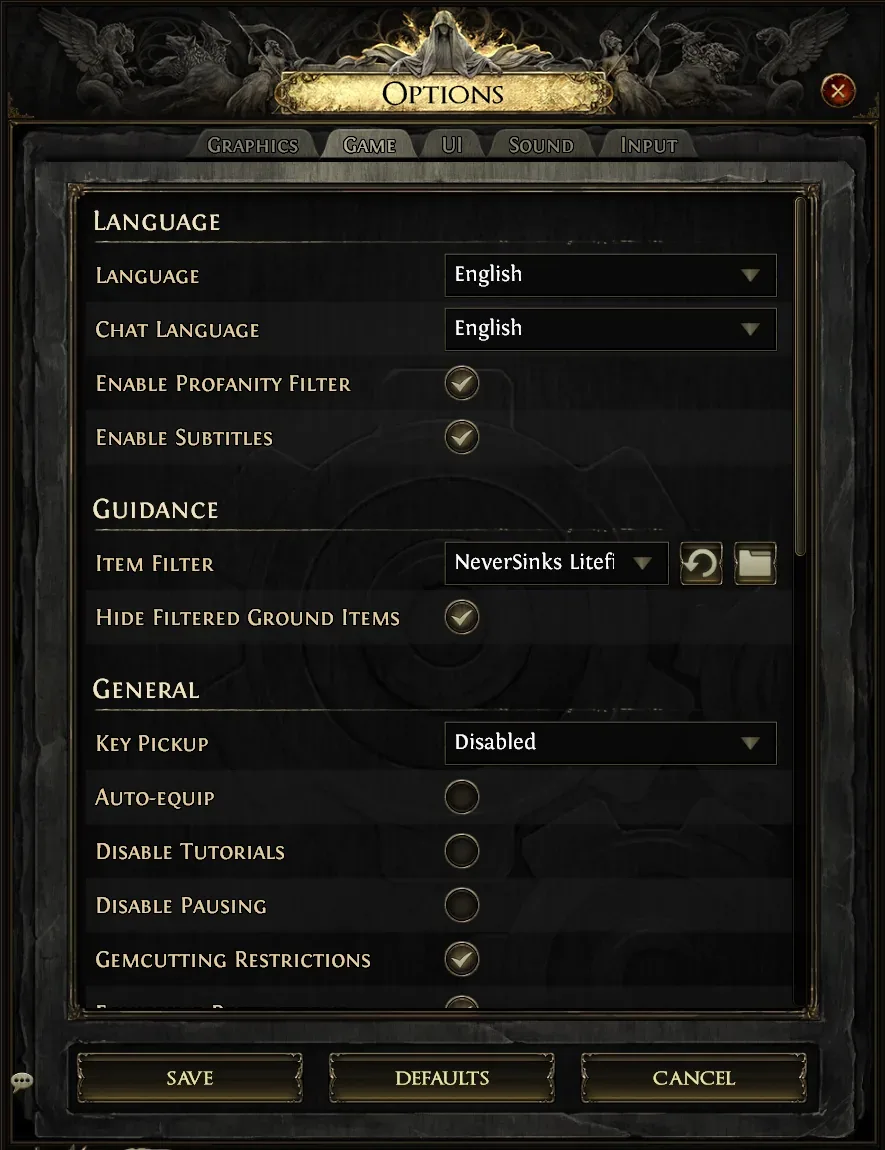
A followed filter can’t take your own changes or a different style. For that you need FilterBlade, more on that below.
How do you install a loot filter as a file?
As a file, you put the filter into the filter folder yourself. That’s worth it if you download a filter from GitHub or FilterBlade or write your own:
- Download the filter, for example NeverSink’s filter from GitHub, and unpack it.
- Copy the file ending in “.filter” to “Documents\My Games\Path of Exile 2”. The folder button next to the item filter in the options opens it too (“Click to open your filter file folder”).
- Click the arrow button “Reload” in the options and pick the filter.
To store all the loot you keep, our Path of Exile 2 stash tabs guide shows which tabs are worth buying.
Which filter strictness suits you?
The strictness decides how much the filter hides: the stricter, the less you see. NeverSink himself recommends Semi-Strict for beginners.
| Level | Name | Who it’s for |
|---|---|---|
| 0 | Soft | shows the most, for the first acts and getting to know the game |
| 1 | Regular | campaign, if you still want to check a lot yourself |
| 2 | Semi-Strict | recommended for beginners, also for leveling |
| 3 | Strict | endgame, if Semi-Strict shows you too much |
| 4 | Very Strict | later endgame, not for leveling |
| 5 | Uber Strict | very well geared characters |
| 6 | Uber Plus Strict | only the most valuable items, even hides boss drops |
NeverSink advises against Very Strict and above while leveling unless you already have strong gear. Otherwise you’ll miss weapons and armour that would help you. If you’re not sure what you need, our Path of Exile 2 beginner guide helps.
How do you customize the filter with FilterBlade?
FilterBlade is the companion website for NeverSink’s filter. There you can preview every strictness and change individual rules without touching the text file. You can also pick other styles, such as a dark style.
You can download your customized filter or sync it to your Path of Exile account. It then shows up in the game like a followed filter. Make sure FilterBlade is set to Path of Exile 2, not Path of Exile 1. When you load your saved version later, FilterBlade merges your changes into the latest version of the filter.
Does the loot filter work on PS5 and Xbox?
Yes, since patch 0.1.1 loot filters also work on console, according to the official patch notes. You can’t place files there, so it only works online:
- Follow the filter on pathofexile.com on your PC or phone, or sync it through FilterBlade, using the same account that’s linked to your console.
- Pick it in the game at “Item Filter” in the options.
On a controller, pressing the left stick also shows you the items your filter hides.
Which settings and keys should you know?
A few settings decide how the filter feels in the game:
- Hide Filtered Ground Items: items your filter hides also disappear from the ground as models, not just their labels.
- Hold Alt: shows the labels of items on the ground (default highlight key).
- Z: toggles whether all items are displayed. That lets you briefly see everything the filter hides.
- Always Highlight: with this option, items and objects such as chests and waypoints are always highlighted. If labels disappear after a second, turn it on.
- Item Filter Alert Volume: on the “Sound” tab you set the volume of filter sounds.
Frequently asked questions
Which loot filter is best for Path of Exile 2?
Most players use NeverSink’s filter. It’s free, gets updated for every league and can be customized with FilterBlade.
Which strictness should I use as a beginner?
Semi-Strict. NeverSink recommends this level for beginners. From Very Strict up, the filter hides too much while leveling.
Where is the filter folder?
On Windows, in “Documents\My Games\Path of Exile 2”. The fastest way there is the folder button next to the item filter in the options.
Why doesn’t my filter show up in the game?
Check that the file ends in “.filter” and sits directly in the filter folder, then click “Reload”. For a followed filter, restart the game and check that you’re logged in with the same account.
Can I use the loot filter on console?
Yes. On PS5 and Xbox you follow the filter on the website or sync it through FilterBlade and then pick it in the game.


Comments
Loading comments …
Join the discussion with a free account
Anyone with a RaidDex account can comment – one click with Discord, Steam or Battle.net is enough. Your progress is also backed up and the same on all your devices.
Already have an account? Sign in
One click with Discord, Steam or Battle.net is enough – no new password needed. Whatever you have already saved in this browser moves into your account when you sign in. Only you can see your profile.